
Series Overview
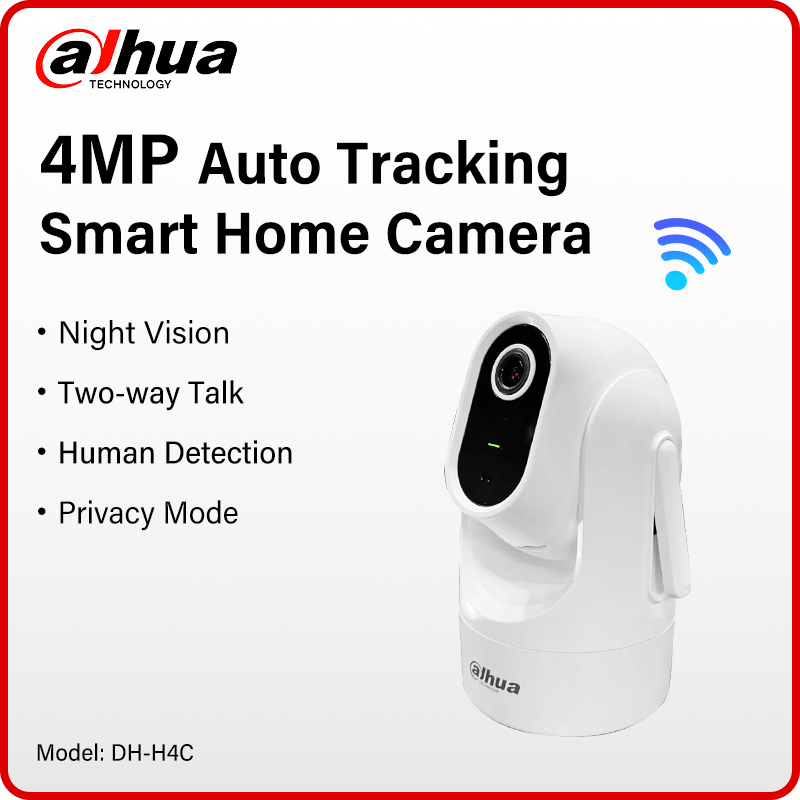
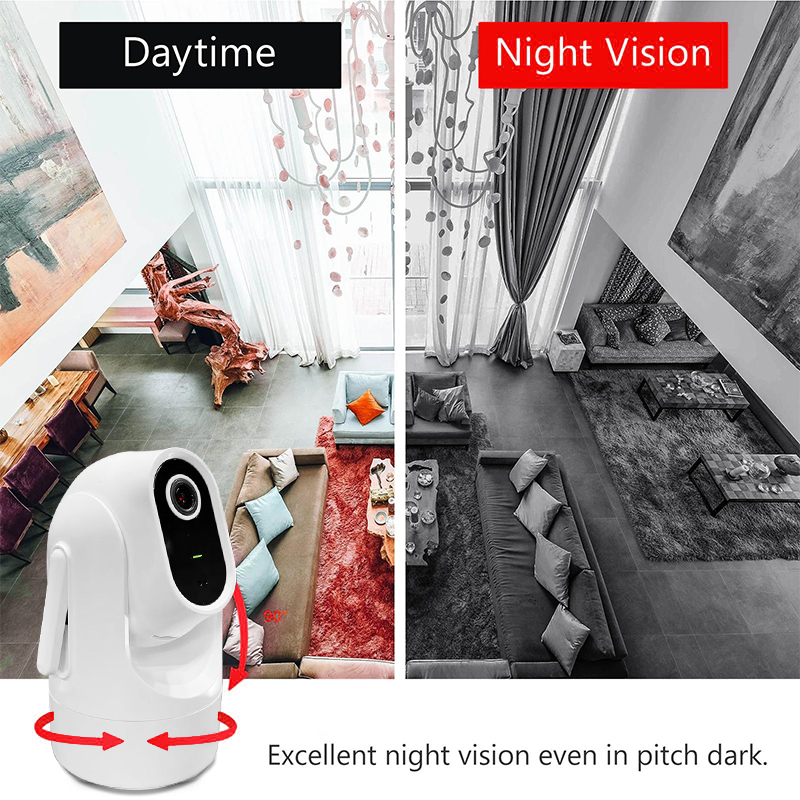
The Hero Series, which is under the Dahua Wireless series, are cameras that are not only easy to install and operate, but also perform outstandingly and are cost-effective. These highly sensitive cameras deliver crystal clear images and offer 360-degree monitoring without blind spots. Their powerful functions, such as human detection and auto tracking, not only assist with the accurate detection and continuous tracking of targets, but also reduce the occurrence of false alarms. It also features two-way talk, which allows you to freely communicate with your scene anytime, anywhere. Information is synchronously sent to your phone to keep you up-to-date. These cameras are widely used in small scenes such as shops and restaurants

|
Camera |
|||||||||||||||||||||||||||||||||||||||||||||||||||||||||||
|
Image Sensor |
1/2.8″ CMOS |
||||||||||||||||||||||||||||||||||||||||||||||||||||||||||
|
Max. Resolution |
2560 (H) × 1440 (V) |
||||||||||||||||||||||||||||||||||||||||||||||||||||||||||
|
Electronic Shutter Speed |
Auto/Manual1/3s~1/100000s |
||||||||||||||||||||||||||||||||||||||||||||||||||||||||||
|
Illumination Distance |
15m(49.21 ft) |
||||||||||||||||||||||||||||||||||||||||||||||||||||||||||
|
Illuminator On/Off Control |
Manual; Auto; Off |
||||||||||||||||||||||||||||||||||||||||||||||||||||||||||
|
Illuminator Number |
1 (IR light) |
||||||||||||||||||||||||||||||||||||||||||||||||||||||||||
|
Angle Adjustment |
Pan: 0° to 325° |
||||||||||||||||||||||||||||||||||||||||||||||||||||||||||
|
Max. Aperture |
F1.6 |
||||||||||||||||||||||||||||||||||||||||||||||||||||||||||
|
Field of View |
H: 80.3°; V: 43.2; D: 94.3° |
||||||||||||||||||||||||||||||||||||||||||||||||||||||||||
|
Intelligence |
|||||||||||||||||||||||||||||||||||||||||||||||||||||||||||
|
Human Detection |
Yes |
||||||||||||||||||||||||||||||||||||||||||||||||||||||||||
|
Video & Audio |
|||||||||||||||||||||||||||||||||||||||||||||||||||||||||||
|
Video Compression |
Smart H.265+;H.265;Smart H.264+;H.264;H.264B;MJPEG |
||||||||||||||||||||||||||||||||||||||||||||||||||||||||||
|
Resolution |
4M (2560×1440); 1080p (1920×1080); 960p (1280×960); 720p (1280×720) |
||||||||||||||||||||||||||||||||||||||||||||||||||||||||||
|
Video Frame Rate |
Main stream: 4M/1080p/1.3M/720p @(1–25/30 fps) |
||||||||||||||||||||||||||||||||||||||||||||||||||||||||||
|
Video Bit Rate |
H.264: 256 Kbps–8192 Kbps |
||||||||||||||||||||||||||||||||||||||||||||||||||||||||||
|
Day/Night |
Auto(ICR)/Color/B/W |
||||||||||||||||||||||||||||||||||||||||||||||||||||||||||
|
WDR |
DWDR |
||||||||||||||||||||||||||||||||||||||||||||||||||||||||||
|
Motion Detection |
Yes |
||||||||||||||||||||||||||||||||||||||||||||||||||||||||||
|
Image Rotation |
180° |
||||||||||||||||||||||||||||||||||||||||||||||||||||||||||
|
Built-in MIC |
Yes |
||||||||||||||||||||||||||||||||||||||||||||||||||||||||||
|
Built-in Speaker |
Yes |
||||||||||||||||||||||||||||||||||||||||||||||||||||||||||
|
Audio Compression |
PCM; G.711a; G.711Mu; G.726; MPEG2-Layer2; G722.1 |
||||||||||||||||||||||||||||||||||||||||||||||||||||||||||
|
Network |
|||||||||||||||||||||||||||||||||||||||||||||||||||||||||||
|
Network Port |
RJ-45 (10/100 Base-T) |
||||||||||||||||||||||||||||||||||||||||||||||||||||||||||
|
Wi-Fi |
IEEE 802.11b/g/n 2.412-2.472 GHz, 2.4 G |
||||||||||||||||||||||||||||||||||||||||||||||||||||||||||
|
Storage |
FTP; Micro SD card (512 GB) |
||||||||||||||||||||||||||||||||||||||||||||||||||||||||||
|
Management Software |
DMSS |
||||||||||||||||||||||||||||||||||||||||||||||||||||||||||
|
Mobile Client |
iOS;Android |
||||||||||||||||||||||||||||||||||||||||||||||||||||||||||
|
General |
|||||||||||||||||||||||||||||||||||||||||||||||||||||||||||
|
Certifications |
CE |
||||||||||||||||||||||||||||||||||||||||||||||||||||||||||
|
Power Supply |
5 VDC, 1 A ± 10% (Type-C) |
||||||||||||||||||||||||||||||||||||||||||||||||||||||||||
|
Power Consumption |
Basic: 2 W Max: 5 W (illuminator +PTZ +speaker) |
||||||||||||||||||||||||||||||||||||||||||||||||||||||||||
|
Operating Conditions |
–10 °C to +40 °C (14 °F to +104 °F) |
||||||||||||||||||||||||||||||||||||||||||||||||||||||||||
|
Operating Humidity |
≤ 95% |
||||||||||||||||||||||||||||||||||||||||||||||||||||||||||
|
Casing Material |
Plastic |
||||||||||||||||||||||||||||||||||||||||||||||||||||||||||
|
Product Dimensions |
130.4mm×Φ95.5mm |
||||||||||||||||||||||||||||||||||||||||||||||||||||||||||
|
Net Weight |
0.25 kg (0.55 lb) |
||||||||||||||||||||||||||||||||||||||||||||||||||||||||||
FAQ
About VAT and Customs duty
VAT of 20%-24% is required in EU, the displayed price has included VAT.
The EU may add extra duty for orders over 150 euros, which is decided by the customs.
(VAT and customs duty are two different taxes, and customs duty is only levied on orders over €150.)
We suggest you contact ALiexpress customer service or customs to know the tariff before purchase.
When the parcel arrives at customs, please contact the logistics provider or the customs office to clear customs and pay taxes.
If you need an invoice or assistance with customs clearance, please contact us..
If you do not want to pay the customs duty, please do not place an order!!!!
How to reset the camera?
Most Dahua camcorders have a reset button, usually located next to the SD card slot or on the motherboard, which can restore the camcorder to factory settings by long-pressing it for 10s under power-on condition.
You can match the Dahua configuration tool to detect the camera status.
If you still can't connect after reset, it may be an IP problem, please change your network IP to 192.168.1.1.
Can the camera be used in my country?
This is the Dahua 100% original international version of the camcorder and can be used in all countries.
Support upgrade and Dahua official APP.
How can I view the video recorded in SD card?
login into your account, go to preview page then click “View history record”, and then select the recorded video you want to view in calendar page.
Cameras can't record all day?
Please check if the recording function is turned on during motion detection, and then check the recording schedule to see if it is 7x24H..
About shipping
Usually we will ship according to your choice of logistics, in case of standard logistics, delivery is usually within 7-25 days in EU. International express (DHL/FEDEX/UPS/EMS) delivery within 3-15 days. Delivery may be delayed in case of customs inspection and parcels that need to be cleared.
If your parcel is not updated for more than 10 days, please contact us..
How to Solve IP Camera No Link Issue on PoE NVR
IP cameras could be added into PoE NVR with both Manual mode and Plug- and- Play mode. When applying the Plug- and- Play mode, please kindly make sure it is Dahua brand camera, and the password of the camera is the same as the NVR. For “No Link” issue, please enter NVR. Menu – Camera – IP Camera, click Status icon of camera to check the error message first.
What Can We do If NVR Cannot View via Chrome?
You can view the NVR through the mobile app and Dahua's official tool, the.
If you want to use Chrome browser to view, download Plug-In first, install it and restart the browser, then you can view via Chrome.
What if the camera can only be used on a LAN??
1.Usually this is because the camera is only connected to the LAN and not to the Internet. Please check your router internet is normal, then reset the webcam and turn on DHCP for the camera.
2.If the problem is still not solved, it may be IP error, please try to change your router IP to 192.168.1.1 to reconnect.
NVR cannot add a third-party camera
Make sure your IPc must support ONVIF protocol
About the Order
After you place an order, usually we will ship it within 24 hours.
if the stock is not enough or the order address problem we will contact you in time, please pay attention to ALiexpress message.
About Warranty
After delivery, if there is any quality problem within 7 days, free replacement or refund.
3 months of free maintenance, the freight is borne by both parties
Free maintenance within 1 year (if you need to replace the parts, the buyer bears the cost of the parts), and the shipping cost is borne by the buyer.
How to add IPC with POE function to NVR?
POE cameras could be added into NVR which supports POE function with both Manual mode and Plug-and-Play mode. When applying the Plug-and-Play mode, please kindly make sure the password of the camera is the same with the NVR.
Dahua camera supports plug and play, if you forget the password, you can restore the factory settings.
How do I update the device's firmware?
Log in to your account in the DMSS app, go to the preview page then click the gear icon in the top right corner, then go to the Device Info page. Now, select the Cloud Upgrade option to check for new firmware. If new firmware is available, you'll be able to start the update.
Package hasn't been updated with tracking information for many days?
We promise that all packages will arrive within 60 days, and if they don't, we are willing to give a full refund.
For large parcels, it takes more shipping time and longer time for customs inspection. If there is no updated tracking information for more than a week, it is normal and may be caused by the following situations: 1. Parcel is queuing up for flights, 2. Arrived at customs and waiting for you to clear, 3. Waiting for local logistics provider to pick up.