Note:
After powering on the camera, if there is no response, press and hold the reset button located next to the card slot on the back of the camera for 8 seconds. Hearing a beep indicates a successful restart. Then, use the 2.4G Hz Wi-Fi configuration and follow the connection video below to complete the setup. 5G Hz networks are not supported.
WONSDAR Three Lens Three Screens HD WIFI IP Camera

3-Lens 3-Screen

3-Screeen Auto tracking

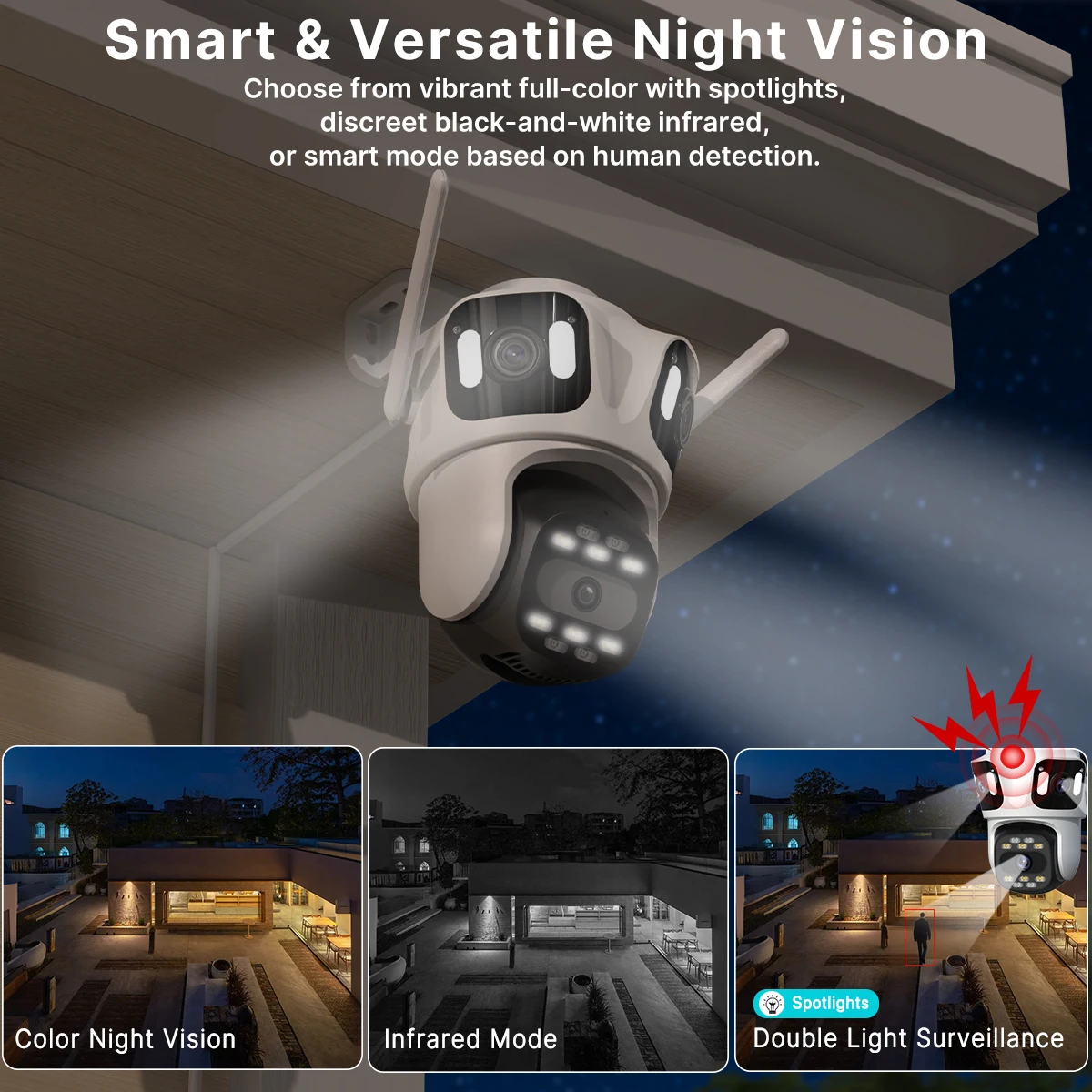
Smart Night Vision, Three-Light Modes for Clear Night Surveillance
Property Protection with Multi-Alarms

An instant connection

360°Coverage for Your Home

Modernized antenna, powerful signal
Waterproof IP66

You might need to buy such a extention cable, please click on the picture below to learn about the product.

Smoother 2-Way Audio, Real-Time Two-Way Communication

Support SD card & cloud service (Need to pay)

Wired connection & Wireless connection

Suitable for Diverse Scenarios

Free from Installation Limits

Pruduct detail
How to Configure the Camera in the iCSee App
① Download icsee app from Google Mall or other software malls
② There is a reset button at the bottom of the camera. Press and hold the reset button for 10 seconds. When you hear the sound of a successful reset, the camera has been reset successfully.
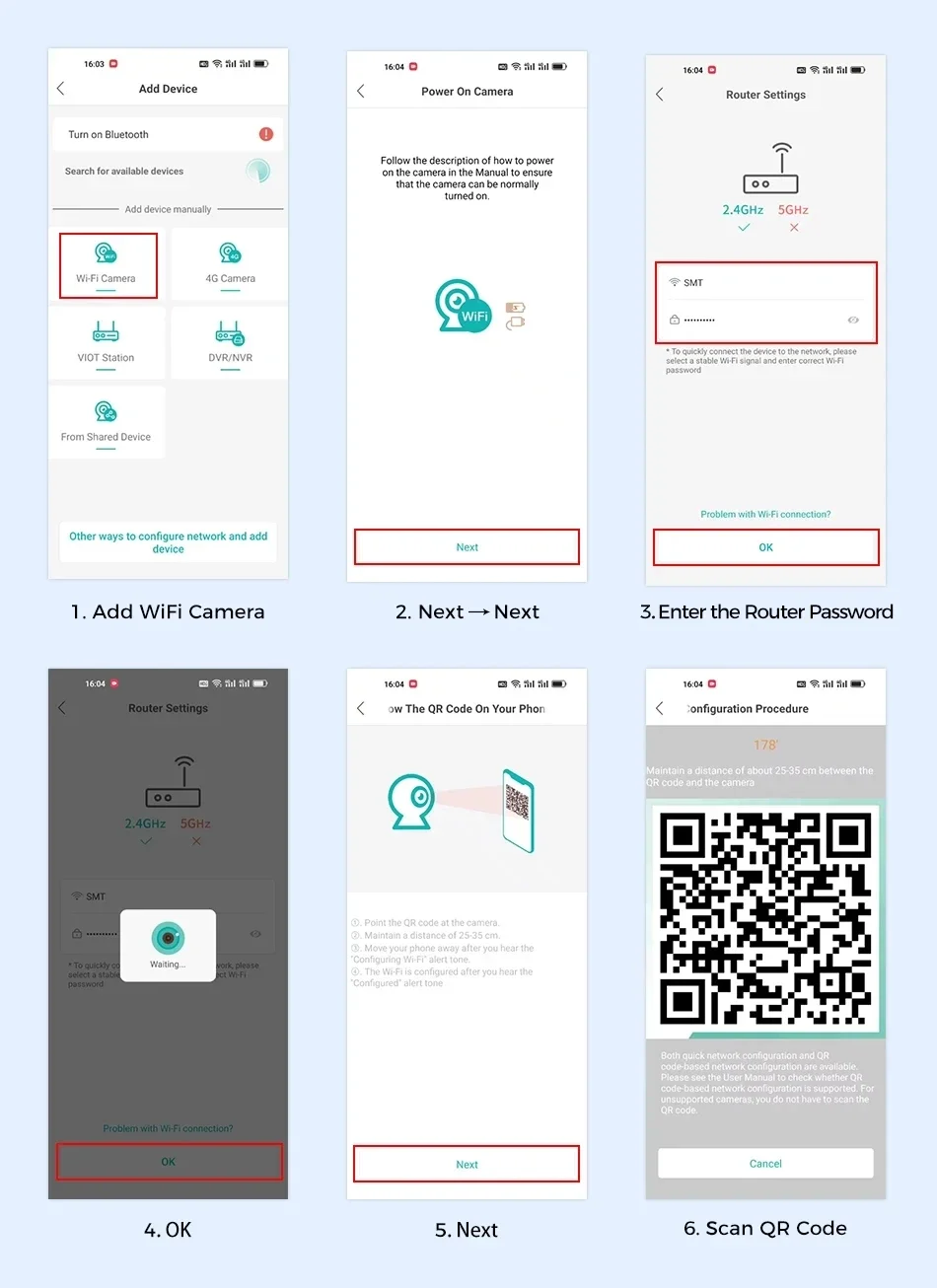
③ Connect the camera through the 2.4Ghz Wifi network band, follow the 6 steps in the picture to connect, and you can configure it successfully.
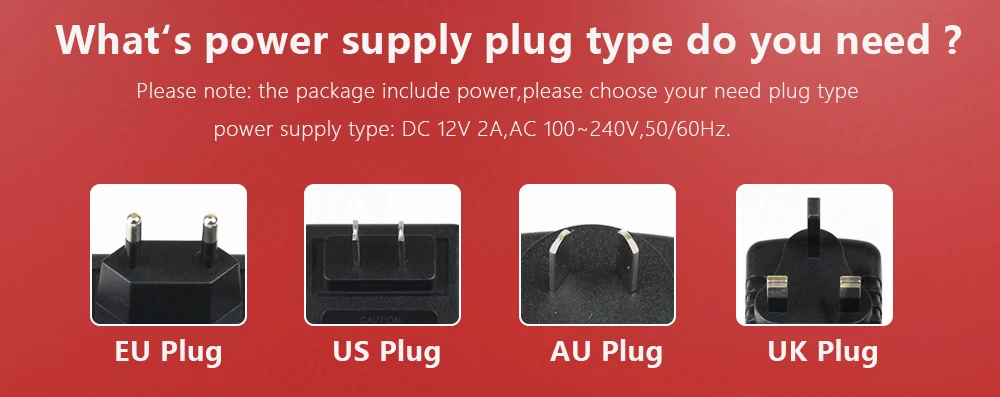
What's power supply plug type do you need ?